Running a retail store involves much more than accepting payments. Store owners need to track inventory, process transactions, manage returns, monitor sales, and understand which products are performing well. When these tasks are handled through separate tools or manual processes, mistakes can quickly become expensive.
A retail POS system can bring many of these operations together in one place. Instead of using a cash register only for taking payments, a modern point-of-sale system can help connect sales, inventory, customer information, employee activity, and reporting.
However, choosing the right system can be difficult. Retail businesses have different needs depending on their size, products, sales channels, and payment methods. Understanding the important features before making a decision can help you avoid paying for technology that does not solve your actual business problems.
What Is a Retail POS System?
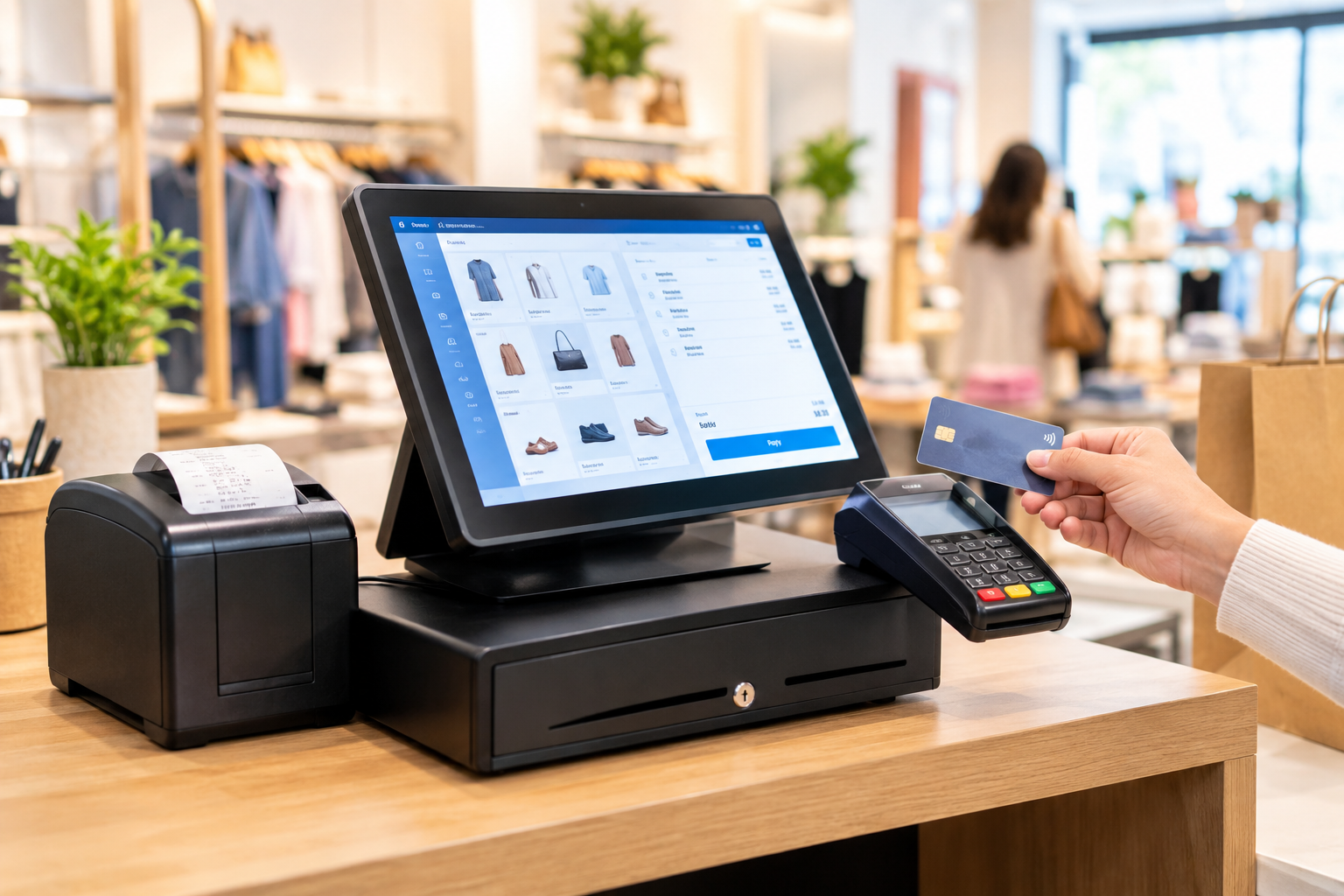
A retail POS system is a combination of software and hardware used to process customer purchases and manage retail transactions. Depending on the setup, it may include a touchscreen terminal, barcode scanner, receipt printer, cash drawer, card reader, and POS software.
Modern systems can do considerably more than calculate a customer's total. They may connect sales transactions with inventory records, generate business reports, support multiple payment methods, and help employees complete purchases more efficiently.
For retailers, this creates a central point for managing everyday sales activity.
Why Retail Stores Need More Than a Basic Cash Register
A traditional cash register can accept cash and calculate totals, but it provides limited information about what is happening in the business.
For example, a store owner may want to know:
- Which products sell the most?
- Which items are running low?
- How much did the store sell today?
- What payment methods are customers using?
- Which transactions were refunded?
- Which employees processed the most sales?
- Are certain products sitting in inventory too long?
A modern POS solution can help answer these questions through sales reports and inventory information.
This can reduce manual recordkeeping and give business owners better visibility into daily operations.
Inventory Management Is a Major POS Advantage
Inventory problems can hurt a retail business in several ways. Overstocking ties up money, while running out of popular products can result in missed sales.
A POS system with inventory management features can automatically update stock levels when products are sold. Some systems can also provide low-stock notifications, product performance reports, purchase tracking, and barcode management.
This makes it easier to identify inventory problems before they become serious.
For businesses with hundreds or thousands of products, automated inventory tracking can save considerable time compared with manually updating spreadsheets or paper records.
Make Checkout Faster and More Convenient
Long checkout lines can create a poor customer experience, especially during busy periods.
A well-configured retail POS system can speed up checkout by allowing employees to scan products quickly, retrieve product information, apply discounts, calculate taxes, and accept different payment methods from one workflow.
Depending on the system, retailers may support credit cards, debit cards, contactless payments, mobile wallets, and other payment options.
A faster checkout process does not just benefit customers. It can also allow employees to spend less time correcting transaction errors and more time assisting shoppers.
Connect Payments With Merchant Services
Payment processing is one of the most important parts of retail operations. A POS system needs to work reliably with the business's payment setup so transactions can be completed securely and efficiently.
This is where Merchant services can become an important part of the overall payment infrastructure. Merchant services can support businesses with card payment processing and related payment solutions.
When evaluating a POS system, retailers should consider how it works with their payment processor, what transaction fees apply, whether compatible card readers are available, and how payment data is handled.
Looking only at the upfront POS price can be misleading. Businesses should consider the total cost of ownership, including processing costs, hardware, software subscriptions, support, and potential integration fees.
Choose a POS With Useful Reporting
Good business decisions depend on reliable information.
Retail POS reporting can help owners understand sales trends and identify opportunities for improvement. Useful reports may include daily sales, product performance, payment activity, refunds, discounts, taxes, and employee sales.
For example, if a particular product consistently sells well during weekends, the retailer may use that information when planning inventory. If another product has low sales for several months, the business may reconsider how it is priced, displayed, or promoted.
The goal is not to collect endless data. The goal is to make important business information easier to understand and act upon.
Consider Employee Management Features
Retail stores often have multiple employees working different shifts. A POS system can help businesses manage employee access and track activity.
Depending on the software, owners may be able to create individual employee accounts, assign permissions, monitor transactions, and review sales activity.
These features can help reduce unauthorized changes and make it easier to identify transaction issues.
It is important to choose a system that provides appropriate access controls without making everyday checkout unnecessarily complicated.
Think About Future Business Growth
A POS system should solve today's problems without creating new limitations as the store grows.
Before purchasing, consider whether the system can support additional registers, locations, products, employees, or sales channels if your business expands.
Retailers should also consider whether the POS can integrate with accounting software, ecommerce platforms, customer loyalty tools, or other applications they already use.
Choosing a scalable system can prevent the inconvenience and expense of replacing technology after only a short period.
What Should You Look for in a Retail POS System?
The best POS system depends on the specific needs of the store, but several features are worth evaluating:
- Easy-to-use checkout software
- Inventory tracking
- Barcode scanning
- Multiple payment options
- Sales and inventory reporting
- Employee permissions
- Returns and refund management
- Customer management features
- Hardware compatibility
- Reliable technical support
- Integration capabilities
- Security features
- Transparent pricing
Not every retailer needs every feature. A small boutique may need a simpler setup than a multi-location retail operation. The important thing is to match the technology to the actual workflow.
Common Mistakes to Avoid When Choosing POS Software
One common mistake is choosing a system based only on price. A low-cost solution may become expensive if it lacks important features or requires additional tools.
Another mistake is ignoring payment processing costs. Retailers should understand transaction fees and other charges before committing to a payment solution.
It is also risky to choose complicated software simply because it offers a large number of features. If employees struggle to use the system, checkout efficiency can suffer.
Finally, do not overlook customer support. Technical problems at the checkout can immediately affect sales, so dependable assistance can be valuable.
Final Thoughts
The right retail POS system can do much more than process purchases. It can help retailers manage inventory, improve checkout efficiency, understand sales performance, organize employee activity, and connect payment operations.
Before choosing a solution, evaluate your store's current challenges and determine which features will genuinely improve daily operations. Consider payment processing, reporting, inventory control, ease of use, integrations, support, and future growth rather than focusing only on the initial purchase price.




 Arabic
 French
 Spanish
 Portuguese
 Deutsch
 Turkish
 Dutch
Dutch
 Italiano
 Russian
 Romaian
 Portuguese (Brazil)
 Greek
Greek