


IPTV on Multiple Devices in Denmark: What Households Should Know
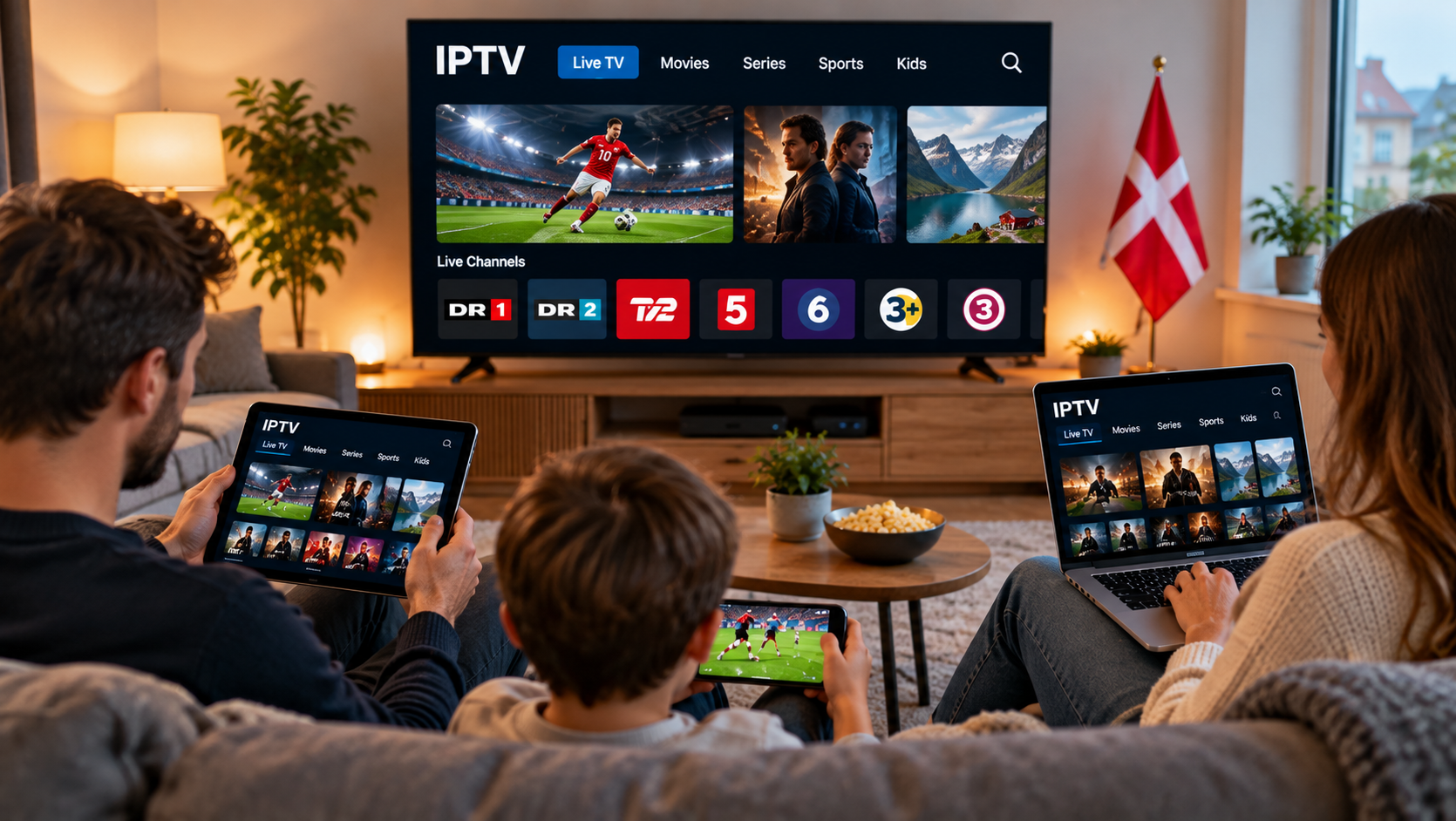 Modern households rarely rely on a single screen for entertainment. One person may watch television in the living room while another uses a tablet, smartphone, computer, or second Smart TV elsewhere in the home.
IPTV can support this flexible viewing style, but using television services across several devices requires more planning than simply installing an application. Device compatibility, internet bandwidth, Wi-Fi coverage, account limitations, and application support can all affect the experience.
For viewers in Denmark, understanding these factors can make it easier to build an IPTV setup that works reliably across different screens.
How Does IPTV Work Across Multiple Devices?
IPTV delivers television content through an internet connection.
Depending on the service and supported applications, IPTV may be accessible on devices such as:
- Smart TVs
- Android TV devices
- Streaming boxes
- Smartphones
- Tablets
- Windows computers
- Mac computers
- Compatible streaming sticks
Each device normally requires an IPTV player or application that supports the login method supplied by the service.
The fact that an IPTV service works on one device does not automatically mean every device will support the same application.
Check Device Compatibility First
Before setting up IPTV around the home, make a list of the devices you actually plan to use.
This simple step can prevent compatibility problems later.
Smart TVs
Smart TVs can provide a convenient experience because the IPTV player may be installed directly on the television.
However, app availability depends on the television's operating system, model, region, and age.
Samsung and LG televisions, for example, use different Smart TV platforms. An application available on one platform may not exist on another.
Always check the official app store on the television before choosing a particular player.
Android TV Devices
Android TV and Google TV devices often provide access to a broad selection of media applications.
They can be useful when users want more flexibility than an older Smart TV provides.
The important step is confirming that the chosen player supports the access format supplied by the IPTV service.
Smartphones and Tablets
Mobile devices can make IPTV more convenient for viewers who do not always want to use the main television.
Applications may be available for Android phones, Android tablets, iPhones, and iPads.
The user interface may differ from the television version, even when the same service is used.
Computers
IPTV can also be accessed through compatible software on Windows or macOS.
A computer can be useful for testing a service, managing playlists, or watching content away from the main television.
Can You Watch IPTV on Several Devices at the Same Time?
This depends on the IPTV service and subscription.
Supporting several device types is not necessarily the same as allowing several simultaneous streams.
For example, a service may allow account details to be configured on a television and smartphone while permitting only one active stream at a time.
Another subscription may have different rules.
Users should therefore check the provider's current terms rather than assuming that one account can be watched simultaneously across several screens.
Why Simultaneous Streaming Uses More Bandwidth
Every active stream consumes internet bandwidth.
If one television is showing live TV while another device is streaming a film, both streams use the same household internet connection.
Add gaming, video calls, cloud backups, and other streaming services, and the network may become heavily loaded.
Think About the Entire Household
When evaluating internet performance, consider all connected devices.
A typical evening might involve:
- IPTV on the living-room television
- A second video stream on a tablet
- Online gaming
- Smartphones connected to Wi-Fi
- A laptop downloading updates
Even if each activity works well individually, running everything simultaneously can affect overall performance.
Wi-Fi Coverage Matters More With Multiple Devices
A strong signal near the router does not guarantee good coverage throughout the home.
A television upstairs or at the opposite end of the property may receive a much weaker Wi-Fi connection.
Router Placement
Try to place the router:
- In a central location
- In an open area
- Above floor level
- Away from large metal objects
- Away from unnecessary obstructions
Avoid hiding the router inside furniture if possible.
Consider Ethernet for Fixed Devices
Smart TVs and streaming boxes often remain in one location.
When practical, connecting these devices through Ethernet can reduce their dependence on Wi-Fi and provide a more consistent connection.
This may also leave wireless capacity available for smartphones and tablets.
One IPTV Player May Not Suit Every Device
Different platforms have different application ecosystems.
An IPTV player that performs well on Android TV may not be available on an LG Smart TV or iPhone.
Rather than trying to use exactly the same application everywhere, focus on compatibility.
A suitable player should support the login method provided by the service and work reliably on the device.
Useful features may include:
- Live TV navigation
- Search
- Favourites
- Electronic programme guide support
- Playlist management
- Film and series categories
- Parental controls
Not every household needs every feature.
Keep Login Information Organised
Managing IPTV across several devices can become confusing if login details are entered incorrectly.
Keep the original connection information in a secure place and enter it carefully.
Depending on the service, this could include:
- Username
- Password
- Server information
- M3U playlist URL
- Portal address
Avoid repeatedly changing credentials or settings unless necessary.
If one device works and another does not, compare the configuration before assuming the service itself has failed.
Test One Device Before Adding More
A useful approach is to complete the IPTV setup on one device first.
For example:
- Install a compatible player on the main television.
- Add the IPTV access details.
- Test several channels.
- Check programme guide information.
- Test picture quality.
- Confirm the connection is stable.
- Add additional devices afterwards.
This makes troubleshooting easier because you already know the account works correctly.
Research Device Support Before Choosing a Service
Device support should be part of the comparison process before purchasing a longer subscription.
If a household uses several platforms, confirm that suitable applications are available for each important screen.
Users comparing IPTV subscriptions and setup options for the Danish market can include DANMARK IPTV in their research when reviewing device compatibility, installation information, and available subscription options.
Checking compatibility early can reduce the need to purchase unnecessary streaming hardware later.
How to Troubleshoot One Device That Keeps Buffering
If IPTV works properly on most devices but performs poorly on one, the issue may be local to that device.
Compare Wi-Fi Strength
Check whether the problematic device is farther from the router than the others.
Weak Wi-Fi can cause buffering even when the broadband connection itself is working normally.
Restart the Device
Restarting the television, box, smartphone, or tablet can clear temporary software issues.
Update the Application
Check the official application store for updates.
An outdated version may not perform as reliably as the current release.
Check Device Storage
Some Smart TVs and streaming boxes have limited storage.
Removing unused applications may improve general device performance.
Try Another Compatible Player
If the service works on other devices but one application consistently fails, testing another supported player can help determine whether the software is responsible.
Should Every Television Have Its Own Streaming Box?
Not necessarily.
If the television already supports a suitable IPTV application and performs well, additional hardware may not provide much benefit.
A streaming box becomes more useful when:
- The television is older
- The required app is unavailable
- Navigation is slow
- Software support has ended
- More application choices are needed
Buying extra hardware should solve a specific problem rather than simply adding another device to the setup.
Keep Software Updated
Multiple-device households have more software to maintain.
Check periodically for updates to:
- Smart TV software
- IPTV applications
- Streaming-box firmware
- Mobile operating systems
- Router firmware
Updates may improve stability, compatibility, or security.
Use official update methods whenever possible.
Consider Security on Shared Devices
A television in a shared room may be used by several members of the household.
Avoid exposing account credentials unnecessarily.
If an IPTV application provides profile, PIN, or parental-control options, these features may be useful in households with children.
It is also sensible to download IPTV players from recognised app stores or trusted developer sources rather than unknown websites.
IPTV and Content Licensing
IPTV is a method of delivering television content through the internet.
The technology itself does not determine whether a specific channel or stream is authorised.
The legal status of content depends on distribution rights and licensing.
Viewers should research providers carefully and consult current Danish rules or reliable legal guidance if they are uncertain about a particular service.
Final Thoughts
Using IPTV across multiple devices can provide a flexible television setup for households in Denmark, but compatibility should be planned in advance.
Start by identifying the devices that will actually be used. Check which IPTV players are available, confirm the supported login methods, and find out whether the subscription permits the number of simultaneous streams your household needs.
Internet bandwidth and Wi-Fi coverage become increasingly important as more devices are added. Fixed televisions may benefit from Ethernet, while good wireless coverage is important for smartphones and tablets.
By testing the main device first and then adding additional screens gradually, users can create a simpler, more manageable IPTV setup that works across the home.

 Arabic
 French
 Spanish
 Portuguese
 Deutsch
 Turkish
 Dutch
Dutch
 Italiano
 Russian
 Romaian
 Portuguese (Brazil)
 Greek
Greek