


Project Management Software: Features, Benefits and How to Choose the Right Solution for Your Business
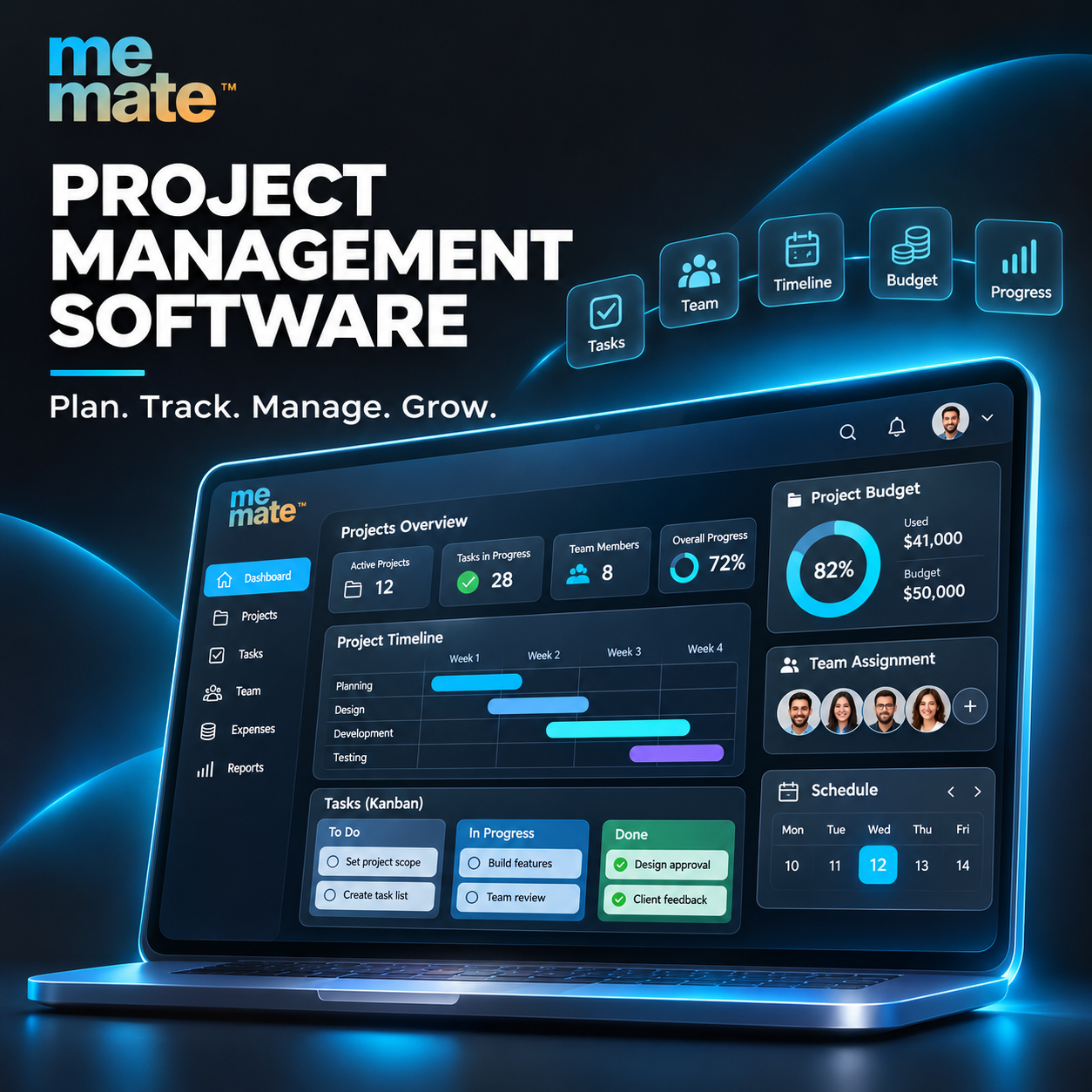
Managing multiple projects, coordinating teams and meeting deadlines can become challenging as a business grows. Without a clear system, tasks get overlooked, communication becomes scattered, and managers struggle to understand project progress. These problems can affect productivity, increase operational costs and delay important deliverables.
Project management software helps businesses organise their work by bringing project planning, task allocation, scheduling, communication and progress tracking into one central platform. Whether managing a small team or coordinating multiple departments, the right solution can make everyday operations more structured and manageable.
However, choosing the right platform requires understanding which features genuinely support your business requirements, how they improve workflows and whether they can scale with your operations.
What Is Project Management Software and How Does It Work?
Project management software is a digital solution that helps businesses plan, organise, assign and monitor project-related activities. It provides a central workspace where managers and employees can access tasks, deadlines, project information and updates.
Instead of relying on spreadsheets, emails and separate communication applications, teams can manage their responsibilities through an organised system.
Most platforms work by allowing managers to:
-
Create projects and divide them into smaller tasks.
-
Assign responsibilities to employees or contractors.
-
Establish deadlines and project milestones.
-
Monitor progress and identify delays.
-
Share documents, updates and project information.
-
Review performance through reports and dashboards.
These project management tools are useful across industries, including IT, construction, marketing, professional services and other project-based businesses.
Common Project Management Challenges Businesses Face
Businesses often encounter similar difficulties when managing multiple projects without a centralised system.
Poor task visibility: Employees may not understand which activities require immediate attention or who is responsible for completing them.
Missed deadlines: Without organised scheduling and reminders, important deliverables can be delayed.
Scattered communication: Project discussions spread across emails, messaging applications and meetings make information difficult to retrieve.
Unbalanced workloads: Managers may struggle to identify employees with too many responsibilities while other team members have available capacity.
Limited progress tracking: Without reliable updates, understanding project performance and identifying potential problems becomes difficult.
A structured project management system addresses these challenges by improving information visibility, responsibility allocation and coordination.
Essential Features of Project Management Software
The effectiveness of a platform depends on whether its features support the way a business actually operates.
1. Task Creation and Assignment
Task management allows managers to break larger projects into manageable activities. Each task can include an assigned employee, description, priority level, due date and relevant instructions.
Clear assignments reduce confusion and help employees understand their responsibilities.
2. Project Scheduling and Deadline Management
Scheduling features help managers organise activities according to available resources and expected completion dates. Calendar views make it easier to identify upcoming deadlines and potential scheduling conflicts.
3. Project Timeline and Milestone Tracking
A project management timeline provides a chronological overview of project activities, important milestones and expected completion dates.
Managers can use timelines to monitor progress, understand task dependencies and identify activities that could affect the overall delivery schedule.
4. Team Collaboration and Communication
Centralised communication helps employees share updates, discuss responsibilities and access relevant project documents.
Some platforms also provide internal messaging, notifications and shared project histories, reducing the need to search through multiple communication channels.
5. Resource and Workload Management
Resource management helps businesses distribute responsibilities according to employee availability, skills and workload.
For companies working with contractors, workforce scheduling and time tracking can also improve operational coordination.
6. Progress Monitoring and Reporting
Dashboards and reporting features provide visibility into completed tasks, outstanding activities, project costs and operational performance.
Managers can use this information to identify delays, review resource utilisation and make informed decisions.
7. Workflow Automation and Integrations
Automation can reduce repetitive administrative work, such as status notifications, task reminders and routine approvals.
Integrations connect project management platforms with other business applications. However, businesses should verify that their preferred tools and required workflows are supported before choosing a solution.
Key Benefits of Using Project Management Software
Implementing the right solution can improve several areas of business operations.
-
Better productivity: Organised tasks and responsibilities reduce unnecessary administrative work.
-
Improved accountability: Employees understand their assignments, deadlines and expected outcomes.
-
Greater project visibility: Managers can monitor activities and identify potential problems earlier.
-
Stronger collaboration: Shared information keeps employees aligned throughout project execution.
-
Better resource utilisation: Workload visibility supports more effective allocation of employees and contractors.
-
More informed decisions: Progress reports and project information help managers evaluate performance.
However, software alone cannot guarantee successful project delivery. Businesses still need realistic planning, clear responsibilities and consistent communication.
How a Project Management System Improves Team Performance
A centralised system creates a shared understanding of what needs to happen, who is responsible and when activities should be completed.
For example, when a marketing agency manages several client campaigns, its team might handle content creation, graphic design, website updates and advertising activities simultaneously.
Without organised project tracking, managers may spend considerable time requesting updates and checking individual responsibilities.
With an appropriate system, each activity can be assigned, scheduled and monitored from one workspace. Employees can access relevant information, while managers can identify outstanding work without constantly arranging progress meetings.
This improves accountability and helps teams maintain consistent workflows.
Why Project Planning and Timelines Matter
Successful project execution begins with realistic planning. Before assigning tasks, managers should identify project objectives, required resources, deliverables and important deadlines.
Task dependencies are equally important. For example, a website development project may require design approval before development begins, followed by testing before launch.
If an earlier activity is delayed, dependent tasks may also need adjustment.
An effective project management timeline helps managers understand these relationships, monitor milestones and adjust schedules when circumstances change.
Regular reviews are also important because project requirements, employee availability and delivery priorities can change throughout the project lifecycle.
How to Choose the Right Project Management Solution
Not every business needs the same functionality. Before investing in a platform, consider these practical factors:
-
Business requirements: Identify whether you primarily need task tracking, project scheduling, resource management or broader operational management.
-
Ease of use: Choose an intuitive interface that employees can adopt without extensive training.
-
Pricing: Compare subscription costs, user limits, available features and additional charges.
-
Scalability: Ensure the platform can support additional projects, employees and operational requirements as your business grows.
-
Integrations: Check compatibility with your existing business applications.
-
Security: Review access controls, data protection policies and available security measures.
-
Reporting: Make sure the platform provides the information managers need to evaluate project performance.
It is also worth testing shortlisted solutions with a real business workflow before making a final decision.
For businesses looking beyond standalone project tracking, meMate is an example of an all-in-one business management software solution that combines project and job management with other operational capabilities.
Its features include project timelines, task allocation, internal chat, client communication, expense tracking and project-related profitability monitoring. Depending on the selected package, businesses can also access employee management, time tracking, contractor management and job scheduling.
This makes it worth considering for businesses that want to connect project activities with everyday operational management rather than manage everything through separate applications. Businesses should evaluate its available features against their specific requirements before choosing a plan.
A Practical Example: Managing a Business Project
Consider a small digital agency preparing to launch a client's website.
The project manager creates a project and divides it into content planning, design, development, testing and launch activities. Each task receives an assigned team member and deadline.
The design team completes its work and updates the task status. Developers can then begin working with the approved designs. Meanwhile, the manager monitors outstanding activities, reviews deadlines and communicates important updates to the client.
If testing identifies an issue, the team can record the required changes and assign responsibility for resolving them.
This hypothetical example demonstrates how structured project management can improve coordination, reduce confusion and make project progress easier to monitor.
Frequently Asked Questions
1. What is project management software used for?
It is used to plan projects, assign tasks, manage deadlines, coordinate teams, monitor progress and organise project-related information in one central workspace.
2. What are the most important project management features?
Essential features include task assignment, scheduling, milestone tracking, team collaboration, workload management, progress reporting and deadline monitoring. The right combination depends on business requirements.
3. Is project management software useful for small businesses?
Yes. Small businesses can use it to organise daily activities, improve employee accountability, coordinate multiple projects and reduce reliance on spreadsheets and manual communication.
4. How can businesses manage project timelines effectively?
Businesses should establish realistic deadlines, identify task dependencies, assign responsibilities and review progress regularly. Updating schedules when priorities change also helps prevent unnecessary delays.
5. How do I choose the right project management software?
Evaluate usability, pricing, essential features, scalability, integrations, security and reporting capabilities. Testing the platform with an actual business project can help determine whether it meets your requirements.
6. Can business management software support project management?
Yes. Some business management platforms combine project tracking with scheduling, invoicing, client management, employee coordination and financial reporting. Solutions such as MeMate bring several of these operational capabilities together, making them relevant to businesses managing projects alongside everyday operations.
Conclusion
Effective project management requires more than assigning tasks and setting deadlines. Businesses need clear planning, organised communication, realistic scheduling and consistent progress monitoring to deliver projects successfully.
The right project management software brings these activities together, helping teams improve accountability, manage resources and maintain better visibility across their work.
Before selecting a solution, assess your operational requirements, compare essential features and consider how the platform will support future growth. A well-chosen system can become an important part of building more organised, productive and efficient business operations.

 English
 Arabic
 Spanish
 Portuguese
 Deutsch
 Turkish
 Dutch
 Italiano
 Russian
 Romaian
 Portuguese (Brazil)
 Greek