


Building Worlds, Anywhere: Your Guide to Eaglercraft
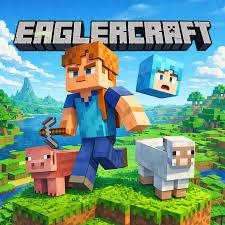
If you have ever found yourself stuck with a computer that won't let you download desktop games, you know the frustration of wanting to unwind with a quick session of Minecraft. Fortunately, the gaming community has come up with clever solutions to this exact problem. One of the most popular ways to enjoy the classic block-building experience anywhere is through Eaglercraft, a project that brings the beloved sandbox game straight to your web browser.
Here is a look at what the game is, how it works, and how you can make the most of your browser-based adventures.
What is the Game All About?
At its core, this browser port replicates classic versions of Minecraft (typically 1.5.2 up to 1.8.8) using WebGL and JavaScript. That means you get the real deal—complete with terrain generation, crafting recipes, and mobs—without needing to install any software or plugins. Whether you want to gather resources or build massive structures, the experience feels remarkably close to the original desktop version.
Gameplay Modes
When you load up the game, you will find familiar modes that cater to different playstyles:
- Survival Mode: This is where you test your resource management skills. You start with empty hands, punch trees for wood, craft wooden tools, and try to build a shelter before nightfall. Creepers, zombies, and spiders await in the dark, so you will need to mine for iron and diamonds to craft better gear.
- Creative Mode: If you just want to relax and build without interruptions, Creative gives you infinite resources, instant block-breaking, and the ability to fly. It is the go-to mode for ambitious architectural projects and testing out redstone contraptions.
- Multiplayer: One of the most impressive features is the ability to join community servers. Because it uses WebSockets, you can play alongside friends and strangers on various minigame and survival servers without needing a paid Microsoft account.
Quick Tips for a Better Experience
Playing inside a browser tab comes with a few quirks, but a few simple habits can improve your session:
- Adjust Your Settings: Browser games can sometimes stutter if your graphics settings are too high. Head into the video settings and lower the render distance or turn off fancy graphics if you notice any lag.
- Watch Out for Fullscreen: Pressing F11 to go full-screen helps immerse you in the game and prevents you from accidentally clicking outside of your browser window during intense moments.
- Back Up Your Worlds: Since single-player worlds are usually saved locally in your browser's storage, make sure to export your world files periodically. If browser data gets cleared, you don't want to lose hours of building progress!
Conclusion
Browser ports like Eaglercraft offer a surprisingly smooth and faithful way to enjoy a classic game when you are away from your main rig. It requires no setup, loads in seconds, and provides the exact same freedom and creativity that made the original game a cultural phenomenon. Give it a try next time you have a few minutes to spare, and see what you can build!

 English
 French
 Spanish
 Portuguese
 Deutsch
 Turkish
 Dutch
Dutch
 Italiano
 Russian
 Romaian
 Portuguese (Brazil)
 Greek
Greek