


How to Set Up IPTV on an LG Smart TV
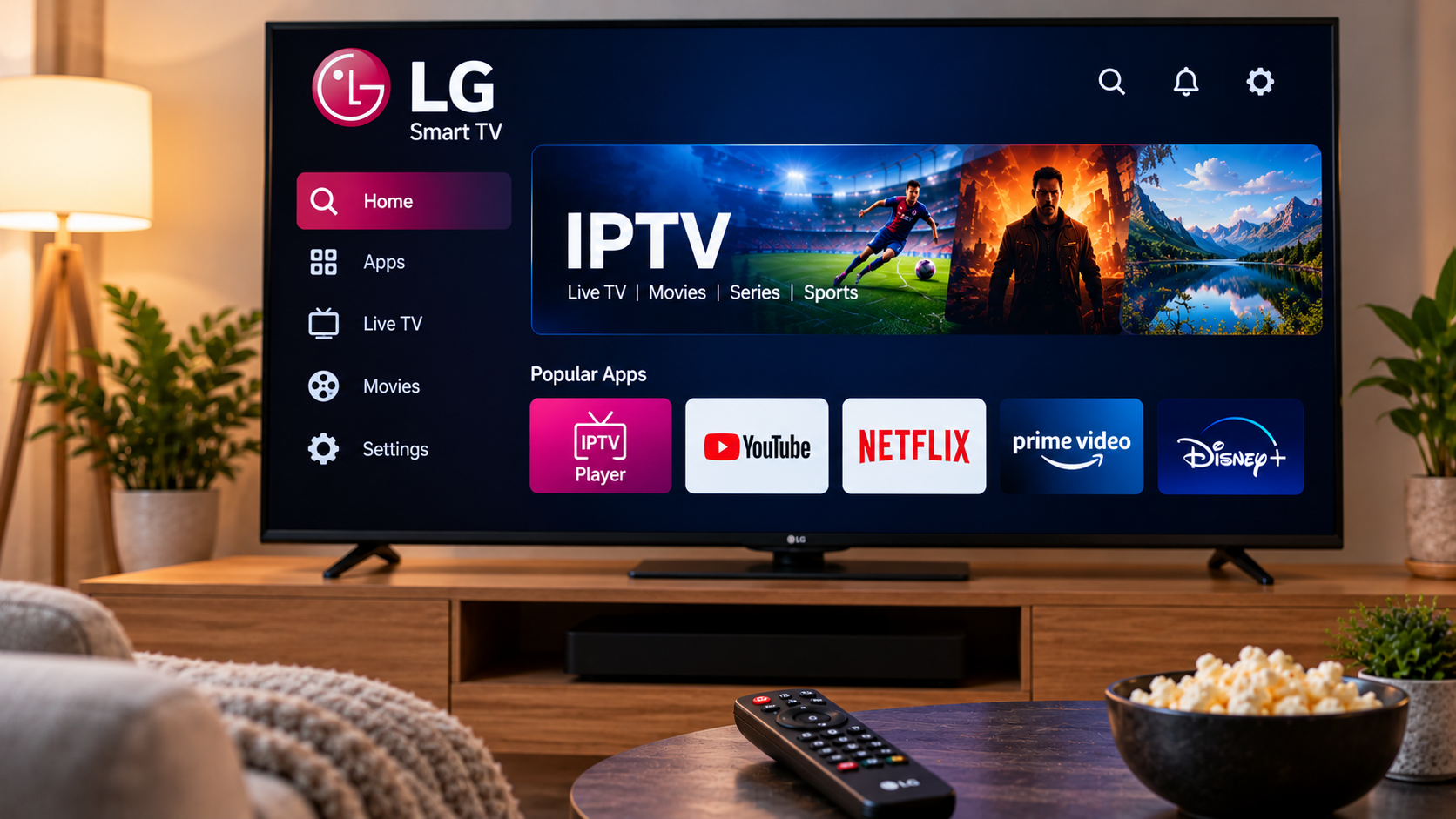
LG Smart TVs are widely used for streaming because they combine television, apps, and internet-based entertainment in one device. With a compatible IPTV player, users can also access live television, sports, movies, series, and other content through an internet connection.
Setting up IPTV on an LG Smart TV is usually straightforward, but the exact process depends on the television model, webOS version, available applications, and the login method supported by the IPTV service.
Understanding these factors before installation can help create a smoother and more reliable viewing experience.
Can You Use IPTV on an LG Smart TV?
Yes, many LG Smart TVs support IPTV through compatible applications available in the LG Content Store.
The IPTV app itself generally works as a player. It does not automatically provide television channels. Users normally connect the player to an IPTV subscription or playlist supplied by a service provider.
Depending on the application, setup may involve:
-
M3U playlist details
-
Username and password
-
Server information
-
Xtream-style credentials
-
Portal details
-
Other supported login methods
Application availability can vary by television model and region.
Check Your LG TV Model First
Before choosing an IPTV player, check which LG Smart TV model you own.
Most newer LG televisions use the webOS operating system. Older models may use different software and may not support the same applications.
You can usually find model and software information through the television settings menu.
Knowing your webOS version can make it easier to identify suitable IPTV applications.
Find a Compatible IPTV Player
Open the LG Content Store and search for IPTV players available for your television.
Different players may offer different features, layouts, and login options.
Useful features to look for include:
-
Live TV categories
-
Movies and series sections
-
Electronic Program Guide support
-
Favourite channels
-
Search
-
Playlist management
-
Recently watched content
Choose an application that supports the account format supplied by your IPTV provider.
Install and Open the IPTV Application
Once you find a suitable player, install it from the official LG app store.
Open the application after installation.
Some IPTV players allow users to enter login details directly through the television. Others may display a device code or MAC address and require the playlist to be added through the application's official website.
Follow the instructions shown by the selected player.
Enter Your Account Details Carefully
Incorrect information is one of the most common reasons an IPTV player fails to load.
Check every field before continuing.
Important details may include:
-
Username
-
Password
-
Server URL
-
Playlist URL
-
Device code
-
Portal address
Even a small typing error can prevent the application from connecting correctly.
Viewers researching Swedish IPTV services, compatible devices, and setup information can also explore First Class IPTV when comparing available IPTV options.
Allow the Playlist to Synchronize
After adding your account, the application may need time to download channel information, movies, series, and EPG data.
Large playlists can take longer to load during the first setup.
Avoid closing the app repeatedly while synchronization is taking place.
Once loading finishes, the main categories should become available inside the player.
Organize Your Channel List
A large playlist can be difficult to browse if everything remains in its default order.
Many IPTV players allow users to organize the interface using favourites or channel groups.
Add Favourite Channels
Create a smaller list containing the channels you watch regularly.
This can make daily navigation faster.
Hide Unused Categories
Some players allow users to hide channel groups they do not need.
Removing unnecessary categories can make the interface cleaner.
Use Search
Instead of scrolling through long channel lists, use the search feature when available.
Use an Electronic Program Guide
An Electronic Program Guide, commonly known as an EPG, can display information about current and upcoming television programs.
When supported, the guide may include:
-
Program names
-
Start times
-
End times
-
Upcoming shows
-
Channel schedules
-
Program descriptions
An EPG can make live television much easier to navigate.
If program information does not appear, check whether the application provides an option to refresh or reload the EPG.
Make Sure Your Internet Connection Is Stable
IPTV performance depends heavily on the quality of the internet connection.
A high advertised download speed does not always guarantee smooth streaming. Wi-Fi interference, short connection drops, router problems, and network congestion can still cause playback issues.
Common symptoms include:
-
Buffering
-
Freezing
-
Slow channel switching
-
Picture quality changes
-
Streams stopping unexpectedly
If several streaming applications are affected, the home network may be the main issue.
Wi-Fi or Ethernet for LG Smart TV?
Many LG Smart TVs support both wireless and wired internet connections.
Wi-Fi
Wi-Fi is convenient because it avoids extra cables.
However, performance may be affected by walls, furniture, distance from the router, and interference from nearby networks.
Ethernet
A wired Ethernet connection can provide a more consistent connection for a television that remains in one location.
If IPTV frequently buffers over Wi-Fi, testing a wired connection can help determine whether wireless stability is the problem.
Improve Wi-Fi Performance
If using Ethernet is not practical, improve the wireless environment where possible.
Place the router in an open and central location rather than hiding it inside furniture.
Try to reduce the number of walls between the router and television.
For larger homes, a mesh Wi-Fi system may provide stronger coverage in rooms located far from the main router.
It is also useful to check whether other household devices are using large amounts of bandwidth.
Keep Your LG TV Updated
LG releases software updates for supported Smart TVs.
These updates can improve system stability, application compatibility, and security.
Check the television settings periodically for available updates.
The IPTV player should also be updated through the LG Content Store whenever an official update becomes available.
What to Do if the IPTV App Stops Working
If the application suddenly stops loading channels, begin with simple troubleshooting.
Restart the Application
Close the player and open it again.
Restart the Television
A full restart can clear temporary system issues.
Test the Internet Connection
Open another streaming service to confirm that the television is still connected properly.
Check Login Information
Make sure the IPTV subscription details have not been entered incorrectly.
Refresh the Playlist
Some players provide an option to reload channels and EPG data.
Test Another Device
If the same IPTV account works correctly elsewhere, the issue may be related to the LG application or local television settings.
Avoid Installing Too Many IPTV Players
Testing different players can help users find an interface they prefer.
However, once a reliable application has been selected, there is usually little benefit in keeping many unused IPTV apps installed.
A simpler setup can make troubleshooting easier and keep the television interface less cluttered.
Consider an External Streaming Device
Older LG televisions may still provide excellent picture quality even when their built-in smart features have become slow.
In this situation, an external streaming device can be a practical alternative.
Android TV boxes, Apple TV, and other media players can connect through HDMI and run their own applications.
This allows users to update the streaming hardware without replacing the television itself.
Check Stream Resolution
Higher-resolution video generally requires more bandwidth.
If 4K content repeatedly buffers while HD streams work normally, the issue may be related to available bandwidth or device performance.
Using a resolution that matches the internet connection can sometimes provide a more stable experience.
Keep Login Information Private
IPTV credentials should be treated like other account information.
Avoid sharing usernames, passwords, playlist links, or server details publicly.
Use official application stores and follow setup instructions from the IPTV service or application developer whenever possible.
Final Thoughts
Setting up IPTV on an LG Smart TV can provide a simple way to access internet-based television without additional equipment.
The process starts with checking television compatibility, choosing a suitable IPTV player, entering account details correctly, and maintaining a stable network connection.
Organizing favourite channels, using an EPG, keeping software updated, and checking Wi-Fi performance can make everyday viewing more convenient.
If the built-in LG platform becomes too limited, an external streaming device can provide an alternative while allowing you to continue using the same television.

 English
 Arabic
 French
 Spanish
 Portuguese
 Turkish
 Dutch
Dutch
 Italiano
 Russian
 Romaian
 Portuguese (Brazil)
 Greek
Greek