


IPTV on Multiple Devices in Finland: What Households Should Know
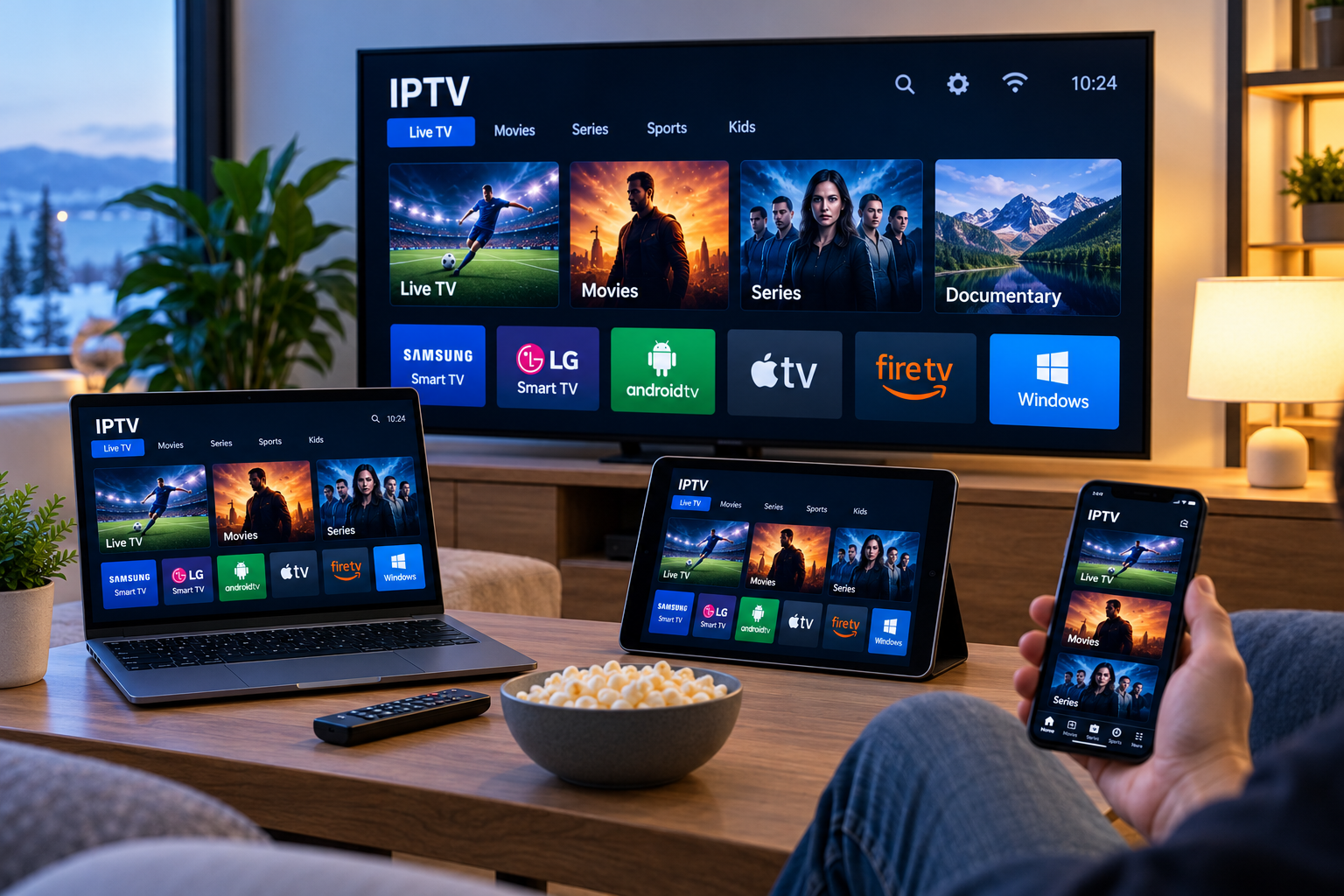
Modern households often use more than one screen for entertainment. One person may watch television in the living room while another uses a tablet, smartphone, computer, or second Smart TV elsewhere in the home.
IPTV can fit this type of viewing, but using television services across several devices requires more planning than simply installing an app everywhere. Device compatibility, internet bandwidth, Wi-Fi coverage, account limitations, and application support can all affect the experience.
For viewers in Finland, understanding these factors can make it easier to build an IPTV setup that works reliably across different screens.
How IPTV Works Across Multiple Devices
IPTV delivers television content through an internet connection.
Depending on the service and supported applications, IPTV may be accessible on devices such as:
-
Smart TVs
-
Android TV devices
-
Google TV devices
-
Streaming boxes
-
Smartphones
-
Tablets
-
Windows computers
-
Mac computers
-
Compatible streaming sticks
Each device normally requires an IPTV player or application that supports the login method supplied by the service.
The fact that IPTV works on one device does not automatically mean the same application will work on every other device.
Check Device Compatibility First
Before setting up IPTV across several screens, identify the devices you actually plan to use.
This is important because different operating systems support different applications.
Samsung and LG Smart TVs
Samsung and LG televisions use their own Smart TV platforms.
Samsung models commonly use Tizen, while LG televisions generally use webOS.
Application availability can vary by television model, software version, and region, so users should check the built-in app store before choosing an IPTV player.
Android TV and Google TV
Android TV and Google TV devices usually provide access to a wider selection of IPTV applications.
Many players support features such as:
-
M3U playlists
-
Username and password login
-
Electronic Programme Guides
-
Favorites
-
Search
-
Channel categories
This flexibility can be useful in households using more than one television.
Apple Devices
Apple TV, iPhone, and iPad users can choose IPTV players designed for Apple's platforms.
Some applications are available across several Apple devices, which can make the interface more familiar when switching from a television to a phone or tablet.
Compatibility should still be checked before installation.
Understand Simultaneous Streaming Limits
One of the most important things to check is whether an IPTV account allows more than one active stream at the same time.
Installing the same application on multiple devices does not necessarily mean all devices can watch simultaneously.
For example, a household may be able to install the IPTV player on a television, phone, and tablet, but the service itself may only permit one active connection.
Trying to exceed the permitted number of simultaneous streams may cause interruptions or login problems.
Users should review the service terms before planning a multi-screen setup.
Internet Bandwidth Becomes More Important
Streaming on several devices at once places greater demand on the home internet connection.
One television streaming HD content may work perfectly, but performance can change when other household members begin streaming, gaming, downloading files, or making video calls.
The total amount of available bandwidth is shared across connected devices.
Consider the Entire Household
When evaluating your internet connection, think about all activity occurring at the same time.
A typical home network might be handling:
-
IPTV on a Smart TV
-
Video streaming on a tablet
-
Online gaming
-
Smartphones using Wi-Fi
-
Video calls
-
Cloud backups
-
Software downloads
Even a relatively fast broadband connection can experience congestion when several bandwidth-heavy activities happen simultaneously.
Wi-Fi Coverage Matters in Every Room
Internet speed at the router does not guarantee good performance throughout the home.
A television close to the router may stream smoothly while another device in a bedroom struggles with weak Wi-Fi.
Walls, floors, furniture, and electronic equipment can all affect wireless signals.
For multi-device IPTV setups, test Wi-Fi performance in the rooms where streaming will actually take place.
Use Ethernet for Fixed Devices
If a Smart TV or streaming box remains in one location, Ethernet can provide a more consistent connection than Wi-Fi.
A wired connection is less affected by wireless interference and can free additional Wi-Fi capacity for mobile devices.
Ethernet can be especially useful for:
-
Main living-room televisions
-
Android TV boxes
-
Apple TV
-
Desktop computers
-
Other permanently installed streaming devices
Not every device includes an Ethernet port, but compatible adapters may be available for some platforms.
Consider a Mesh Wi-Fi System
Large homes can have areas where Wi-Fi coverage is poor.
A mesh Wi-Fi system uses multiple access points to provide broader coverage than a single router.
This can be helpful when IPTV is used across several rooms or floors.
However, upgrading network hardware should solve a specific problem. If existing Wi-Fi already provides strong and stable coverage, additional equipment may not be necessary.
Choose Apps That Work Across Your Devices
Using the same IPTV player on several platforms can simplify the experience, but this is not always possible.
Some applications are available only on particular operating systems.
Before choosing an app, check whether it supports the devices used in your household.
Useful features for multi-device users may include:
-
Favorites
-
EPG support
-
Multiple playlists
-
Search
-
Profile management
-
Backup options
-
Cross-device synchronization when available
The importance of these features depends on how the service is used.
M3U and Login Compatibility
Different IPTV services may provide access through M3U playlists, server details, usernames, passwords, or other supported methods.
The IPTV application installed on each device needs to support the format provided by the service.
A Smart TV app might accept M3U URLs, while another application on Android TV may support both M3U and Xtream-style login details.
Checking this compatibility in advance helps avoid unnecessary setup problems.
Finnish viewers researching device support and IPTV setup information can review Nordic One IPTV when comparing options for Smart TVs, mobile devices, streaming boxes, and computers.
Organize Favorites for Different Viewers
When several people share an IPTV setup, one large channel list can become difficult to manage.
Favorites can help each viewer reach preferred channels more quickly.
Some applications allow separate profiles or multiple favorite groups.
A household might organize lists around categories such as:
-
Finnish channels
-
Sports
-
News
-
Movies
-
Children's programming
-
International channels
This can make navigation faster without changing the main playlist.
Use Parental Controls Where Needed
Families with children may want additional control over available content.
Some IPTV players offer PIN protection or parental control options for particular categories.
The exact features vary between applications, so users should review app settings carefully.
Parental controls within the player should be considered one part of a broader approach to managing children's access to online content.
Keep Every Device Updated
A multi-device setup can become difficult to troubleshoot when some devices are running outdated software.
Keep the following updated when possible:
-
IPTV applications
-
Smart TV firmware
-
Android TV software
-
iOS and iPadOS
-
Apple TV software
-
Computer operating systems
Updates can improve compatibility, security, and application stability.
Troubleshoot One Device at a Time
When IPTV works on one screen but not another, compare the devices systematically.
First, confirm that both devices are using the same internet connection.
Next, check whether the login details were entered correctly.
Then compare:
-
IPTV app versions
-
Network signal strength
-
Login method
-
Device software
-
Available storage
-
Account connection limits
Testing one variable at a time makes it easier to identify the actual cause.
Test Whether the Network or Device Is Responsible
If one television buffers while another works normally, the problem may be specific to that device or room.
Try a speed test near the affected television.
If possible, temporarily connect it through Ethernet.
If performance improves, Wi-Fi coverage may be the problem.
If several devices experience buffering simultaneously, the issue may instead involve overall network congestion or the internet connection.
Avoid Sharing Account Credentials Publicly
Multi-device use often involves entering the same service credentials on several screens.
Those credentials should remain private.
Do not post:
-
Usernames
-
Passwords
-
Playlist URLs
-
Server details
-
Account information
Only enter account details into applications you trust.
Whenever possible, download IPTV applications from official app stores or recognized developer sources.
Consider Mobile Data Usage
Watching IPTV on smartphones and tablets through mobile networks can consume considerable data, particularly at higher video resolutions.
Users with limited mobile data plans should check their allowance before streaming for long periods.
Wi-Fi is often more practical for extended viewing at home.
When travelling, adjusting video quality may help reduce data consumption.
Do You Need the Same Resolution on Every Screen?
Not necessarily.
A large television may benefit from a higher-resolution stream, while a smartphone screen may provide a good viewing experience at a lower resolution.
Matching video quality to the device can help manage bandwidth when several streams are active at once.
This can be particularly useful in busy households.
Keep the Setup Simple
A multi-device IPTV system does not need to be complicated.
Start with the screens that are actually used regularly.
Choose compatible applications, verify the number of simultaneous streams allowed, and make sure the home network can handle the expected activity.
Adding extra hardware or applications without a clear need can make troubleshooting harder.
A simple and well-organized setup is usually easier to maintain.
Final Thoughts
Using IPTV across multiple devices can provide flexibility for households where different people watch television on different screens.
The most important factors are device compatibility, application support, internet capacity, Wi-Fi coverage, and the number of simultaneous connections permitted by the service.
By checking these details before configuring every television, phone, tablet, or computer, viewers in Finland can create a more practical multi-device setup and avoid many common streaming problems.

 English
 Arabic
 French
 Spanish
 Portuguese
 Deutsch
 Turkish
 Dutch
Dutch
 Italiano
 Russian
 Portuguese (Brazil)
 Greek
Greek